
How to Present to C-Suite Executives: 8 Key Rules

Presenting to C-suite executives requires a fundamentally different approach than presenting to any other audience. Lead with your recommendation—not your research. Structure your content around decisions, not data. Keep it concise: executives typically decide within the first five minutes whether your presentation is worth their time. Anticipate strategic questions, speak in business outcomes, and always tie your message to revenue, risk, or competitive advantage. The eight rules below will help you command the room and walk out with a decision.
What Does "Presenting to the C-Suite" Really Mean?
Presenting to the C-suite means delivering information to the highest-ranking executives in an organization—CEO, CFO, COO, CTO, CMO, and similar roles—in a way that supports rapid, high-stakes decision-making. It is not a knowledge transfer exercise; it is a strategic conversation designed to drive action.
Unlike standard presentations where you build toward a conclusion, C-suite presentations demand that you invert your structure entirely. Executives don't want to follow your thought process. They want your conclusion first, your evidence second, and your backup data only if they ask for it. According to a study by the Harvard Business Review, senior executives say that 70% of presentations they sit through are a waste of their time because the presenter fails to get to the point.
Understanding this distinction is the difference between being seen as a strategic partner and being seen as someone who wastes leadership's most precious resource: time. For a deeper dive into the communication gap between executives and everyone else, explore our guide on how executives communicate vs. managers.
Rule 1: Lead With the Ask, Not the Background
Why Executives Hate the "Build-Up"

The single most common mistake professionals make when presenting to the C-suite is starting with context, background, or methodology. You might think you're "setting the stage." Executives think you're stalling.
C-suite leaders process dozens of decisions per day. Their cognitive bandwidth is allocated in minutes, not hours. When you open with three slides of background, you've already lost their attention—and possibly their respect.
Here's what this looks like in practice. Imagine you're presenting a proposal to expand into a new market. A typical presenter might start with market research, competitive analysis, and trend data before finally arriving at the recommendation on slide twelve. An executive-ready presenter says this in the first thirty seconds:
"I'm recommending we enter the Southeast Asian market by Q3, with a projected $4.2M revenue opportunity in year one. I need your approval on the $800K investment to proceed. Here's why this is the right move."The "Bottom Line Up Front" (BLUF) Framework
Borrowed from military communication, the BLUF framework is your most powerful tool for C-suite presentations. Structure your opening in this order:
- Recommendation: What you want them to decide or approve
- Business impact: Why it matters in dollars, risk, or strategic positioning
- Timeline: When action is needed
- Supporting rationale: Your top two or three reasons (not twelve)
This framework works because it mirrors how executives actually think. Research from McKinsey & Company shows that senior leaders prefer communication structured around decisions rather than information, with the most effective executive communicators spending 65% of their time on implications and only 35% on data.
If structuring your thinking this way feels unfamiliar, our article on how executives structure their thinking before speaking breaks down the mental models you can practice daily.
Rule 2: Structure for Decision-Making, Not Information Sharing
The Executive Decision Architecture
Every slide, every sentence, and every data point in your C-suite presentation should answer one question: "Does this help them make a decision?" If the answer is no, cut it.
Here's a simple test. Before including any piece of content, ask yourself:
- Does this change their decision? Keep it.
- Does this validate a decision they're already leaning toward? Keep it, but make it brief.
- Does this demonstrate how thorough my research was? Cut it.
The third category is where most presenters go wrong. You want credit for your work. Executives want a clear path to "yes" or "no."
The 3-Slide Backbone
While your full deck might have supporting appendix slides, your core presentation to C-suite executives should follow a three-slide backbone:
- The Recommendation Slide: What you're proposing, the investment required, and the expected return
- The Evidence Slide: Two to three compelling data points that support your case
- The Risk Slide: What happens if they say yes, what happens if they say no, and what you've done to mitigate downside
Everything else goes into an appendix that you reference only if asked. According to a presentation study by Presentation Panda, executives retain only about 10% of a presentation after 48 hours—so make that 10% count by focusing on your core argument rather than peripheral details.
Ready to Command Every Executive Conversation? The Credibility Code gives you the frameworks, scripts, and preparation systems that top professionals use to communicate with authority at every level. Discover The Credibility Code
Rule 3: Speak in Business Outcomes, Not Technical Details
Translate Everything Into Executive Language

C-suite executives think in four currencies: revenue, cost, risk, and speed. Every recommendation, every data point, and every insight you present should be translated into one of these four categories.
This is where technically brilliant professionals often stumble. You might be excited about a new algorithm, a process improvement, or a marketing channel. But the CEO doesn't care about the algorithm—they care about what it does to the bottom line.
Consider the difference:
- Technical: "We've implemented a machine learning model with 94% accuracy in predicting customer churn."
- Executive: "We can now identify at-risk customers 60 days earlier, which we project will save $2.1M in annual revenue retention."
Both statements describe the same work. Only the second one will hold a CFO's attention.
The "So What?" Ladder
Before your presentation, run every key point through the "So What?" Ladder. Take your fact or finding and ask "so what?" until you reach a business outcome.
- We redesigned the onboarding flow. → So what?
- User activation increased by 22%. → So what?
- We'll convert an additional 3,400 paying customers this quarter. → So what?
- That's $1.7M in incremental ARR. → That's your executive talking point.
For more on shifting from operational to strategic language, read our guide on how to sound more strategic at work.
Rule 4: Anticipate Executive-Level Questions
The Five Questions Every C-Suite Leader Will Ask
Regardless of your topic, C-suite executives tend to ask variations of five core questions. Prepare for all of them before you walk into the room:
- "What's the financial impact?" — Have exact numbers ready, including best-case and worst-case scenarios.
- "What are the risks?" — Never pretend there are none. Name the top two or three and explain your mitigation plan.
- "Why now?" — Explain the cost of delay or the competitive window that makes timing critical.
- "What do you need from us?" — Be specific. Budget approval? Headcount? A policy change? Executive sponsorship?
- "What happens if we don't do this?" — This is your most powerful persuasion tool. Paint the cost of inaction clearly.
Building Your "Answer Bank"
Create a document before every C-suite presentation with twenty potential questions and your prepared responses. Categorize them:
- Financial questions: ROI, payback period, budget implications
- Operational questions: Timeline, resource requirements, dependencies
- Strategic questions: Competitive impact, alignment with company priorities
- Risk questions: What could go wrong, precedent, regulatory concerns
A Gartner survey found that 77% of B2B buyers rate their last purchase experience as extremely complex or difficult—and executive decision-makers face this complexity daily. Your job is to reduce that complexity, not add to it.
If handling unexpected questions makes you nervous, our article on how to handle Q&A after a presentation like a pro provides scripts and frameworks for staying composed under pressure.
Rule 5: Manage Time Like It's Their Most Valuable Asset—Because It Is
The 50% Rule
Whatever time you've been given, plan to use only 50% of it for your prepared remarks. If you have a 30-minute slot, prepare 15 minutes of content. The rest is for questions, discussion, and—most importantly—the executive dialogue that often leads to actual decisions.
This is counterintuitive for most presenters. You've done extensive work and you want to present it all. But C-suite meetings rarely follow a script. An executive might interrupt on slide two with a question that takes the conversation in a completely different direction. If your entire value depends on getting through all twenty slides, you're in trouble.
Pacing and the "Executive Attention Curve"
Research from Microsoft's Human Factors Lab suggests that the average attention span in meetings has dropped to approximately 10 minutes before listeners need re-engagement. For executives who are mentally juggling multiple priorities, that window may be even shorter.
Structure your presentation with this in mind:
- Minutes 1-2: Your recommendation and the business case (BLUF)
- Minutes 3-7: Your two to three strongest supporting points
- Minutes 8-10: Risks, mitigation, and your specific ask
- Minutes 11+: Discussion, questions, and decision
If an executive interrupts you at minute three with a question, that's not a failure—that's engagement. Answer directly, then ask: "Would you like me to continue with the supporting data, or would it be more useful to discuss [specific topic] further?" This gives them control, which is exactly what they want.
For more on delivering concise, high-impact messages to senior leaders, see our guide on how to speak concisely in meetings.
Rule 6: Project Confidence Without Arrogance
The Authority-Humility Balance
C-suite executives need to trust your judgment. If you seem uncertain, they won't approve your recommendation—no matter how strong the data. But if you come across as overconfident or dismissive of risks, they'll question your judgment for different reasons.
The sweet spot is what executive coaches call "confident humility": you're certain about your recommendation because you've done the work, and you're honest about what you don't know.
Here's what this sounds like in practice:
- Too uncertain: "I think this might work, but I'm not sure about the numbers..."
- Too arrogant: "This is absolutely going to work. There's no downside."
- Confident humility: "Based on our analysis and the pilot results, I'm confident this will deliver a 15-20% improvement. The main risk is adoption speed, and here's how we're addressing that."
Body Language and Vocal Presence
Your nonverbal communication matters enormously in C-suite presentations. A study published in the Journal of Experimental Social Psychology found that listeners judge a speaker's competence within the first 500 milliseconds of hearing their voice. Your tone, pace, and posture set the frame before your content even registers.
Key physical adjustments for C-suite presentations:
- Stand or sit with grounded posture: Feet flat, shoulders back, hands visible
- Slow your pace by 10-15%: Rushed speech signals anxiety
- Use deliberate pauses: After key statements, pause for two seconds to let the point land
- Make eye contact with the decision-maker: Not exclusively, but prioritize the person whose approval you need
For a comprehensive framework on projecting authority through your physical presence, explore our guide on how to command a room when presenting.
Master the Art of Executive Communication Whether you're presenting to the board or briefing your CEO, The Credibility Code gives you the exact frameworks to communicate with authority and get decisions made. Discover The Credibility Code
Rule 7: Handle Pushback as a Strategic Conversation
Why Pushback Is a Good Sign
When a C-suite executive challenges your recommendation, most presenters panic. They get defensive, over-explain, or cave immediately. All three responses damage your credibility.
Here's the reframe: pushback means they're engaged. An executive who doesn't care won't bother challenging you—they'll just check their phone and move on. A challenge is an invitation to demonstrate your strategic thinking.
The ACE Response Framework
When you receive pushback, use the ACE framework:
- A — Acknowledge: Validate the concern without being obsequious. "That's an important consideration."
- C — Clarify: Make sure you understand the real objection. "If I'm hearing you correctly, your concern is about the timeline, not the investment itself?"
- E — Evidence: Provide a targeted data point or example that addresses the specific concern. "In our pilot with the Northeast region, we hit the 90-day target with two weeks to spare. Here's what we learned about accelerating rollout."
What you should never do: argue, get emotional, or dismiss the concern. Even if the executive is wrong, your job is to guide them to the right conclusion with evidence, not to win a debate.
For more on navigating difficult conversations with senior leaders, our guide on how to communicate with difficult executives effectively provides additional scripts and strategies.
Rule 8: Close With a Clear Decision Point
Never End With "Any Questions?"
The weakest possible ending to a C-suite presentation is "So... any questions?" It hands over control at the exact moment when you should be driving toward a decision.
Instead, close with a decision prompt. Be explicit about what you need and when:
- "I'm asking for approval on the $800K budget to proceed. Can I get your go-ahead today?"
- "I'd like to move forward with Phase 1 by March 15. Do I have your support?"
- "I need a decision on the vendor selection by Friday. Based on what you've seen, are you comfortable with Option A?"
If the executive isn't ready to decide, don't force it. Instead, establish clear next steps:
- "What additional information would help you make this decision?"
- "Would it be useful if I scheduled a follow-up with [specific person] to address the compliance question?"
The Post-Presentation Follow-Up
Within 24 hours, send a concise follow-up email that includes:
- The decision that was made (or the decision that's pending)
- Agreed-upon next steps with owners and deadlines
- Any additional data the executive requested
This follow-up is not optional. It demonstrates professionalism, creates accountability, and keeps your initiative moving. For guidance on writing executive-level follow-ups, see our article on how to write like a senior leader.
C-Suite Presentation Preparation Checklist
Before every executive presentation, run through this checklist:
Content Preparation:- [ ] Recommendation is stated in the first 30 seconds
- [ ] Every data point ties to revenue, cost, risk, or speed
- [ ] Deck has a 3-slide backbone with appendix for detail
- [ ] You've prepared answers for 20 potential questions
- [ ] You've identified the cost of inaction
- [ ] Presentation uses only 50% of allotted time
- [ ] You've rehearsed out loud at least twice
- [ ] You know who the key decision-maker is
- [ ] You've practiced the ACE framework for likely pushback
- [ ] Your close includes a specific decision prompt
- [ ] You've confirmed the meeting time, format, and attendees
- [ ] You have a backup plan if technology fails
- [ ] Your follow-up email template is pre-drafted
Common Mistakes That Destroy C-Suite Credibility
Avoid these errors at all costs:
- Reading your slides: Executives can read faster than you can talk. Your slides should support your narrative, not replace it.
- Apologizing for taking their time: This signals you don't believe your content is worthy of their attention.
- Using jargon they don't share: Technical terms that your team understands may mean nothing to a CFO or COO.
- Presenting without a recommendation: Executives don't want a data dump—they want your informed opinion on what to do.
- Ignoring the room's energy: If the CEO is checking their watch, pivot. Ask if they'd like you to skip ahead to the recommendation.
- Over-designing your slides: Fancy animations and dense charts don't impress executives. Clean, simple visuals with one key message per slide are far more effective.
Frequently Asked Questions
How long should a C-suite presentation be?
Plan for 10-15 minutes of prepared content regardless of your time slot. Use the remaining time for discussion and questions. Most executive decisions are made within the first five to seven minutes. If you've been given 30 minutes, prepare 15 minutes of material and let the conversation fill the rest. Executives value brevity and will respect you for not wasting their time.
What's the difference between presenting to a C-suite audience vs. middle management?
Middle management presentations focus on how—processes, timelines, and operational details. C-suite presentations focus on what and why—strategic outcomes, business impact, and risk. Executives want your recommendation and the business case, not the methodology behind it. The communication style shifts from informational to decisional, and the level of detail decreases significantly while the level of strategic framing increases.
How do you handle a C-suite executive who interrupts constantly?
Interruptions from executives are a sign of engagement, not disrespect. When interrupted, answer the question directly and concisely, then ask whether they'd like you to continue or redirect. Never say "I'll get to that later"—it signals that you're prioritizing your agenda over theirs. Adapt in real time and treat every interruption as an opportunity to demonstrate your command of the material.
Should you use slides when presenting to the C-suite?
Slides are optional, not required. Many effective C-suite presentations use no slides at all—just a one-page executive summary. If you do use slides, keep them minimal: one key message per slide, clean visuals, and no walls of text. The slides should support your narrative, not be your narrative. For a framework on presenting without slides, see our guide on how to present to executives without slides.
How do you build credibility before you even present to the C-suite?
Credibility starts before you enter the room. Send a pre-read or one-page summary 24-48 hours in advance so executives can prepare. Get a sponsor—someone in the C-suite who supports your initiative—to endorse your work beforehand. Reference relevant data and precedent early in your presentation to establish that your recommendation is grounded in evidence, not opinion.
What should you do if your C-suite presentation goes badly?
First, don't catastrophize. Send a professional follow-up email within 24 hours acknowledging the concerns raised, providing any additional data requested, and proposing clear next steps. Then debrief honestly: Was the recommendation weak, or was the delivery the problem? Use the experience to strengthen your next presentation. Every executive has seen presentations go sideways—what they remember is how you recovered.
Transform How You Show Up in Every Executive Conversation The eight rules in this article are just the beginning. The Credibility Code gives you the complete system—frameworks, scripts, preparation templates, and confidence-building exercises—to communicate with authority at the highest levels of any organization. Discover The Credibility Code
Ready to Command Authority in Every Conversation?
Transform your professional communication with proven techniques that build instant credibility. The Credibility Code gives you the frameworks top leaders use to project confidence and authority.
Discover The Credibility CodeRelated Articles

How to Present to Executives Without Slides: A Framework
To present to executives without slides, use a structured verbal framework: lead with your recommendation, support it with three key points, quantify your evidence, and close with a clear ask. Executives prefer concise, direct communication over visual decks. By organizing your narrative around a clear thesis, using confident delivery, and anticipating questions, you can deliver a more compelling and credible presentation than any slide deck could achieve.
Executive vs Regular Communication: 10 Key Patterns
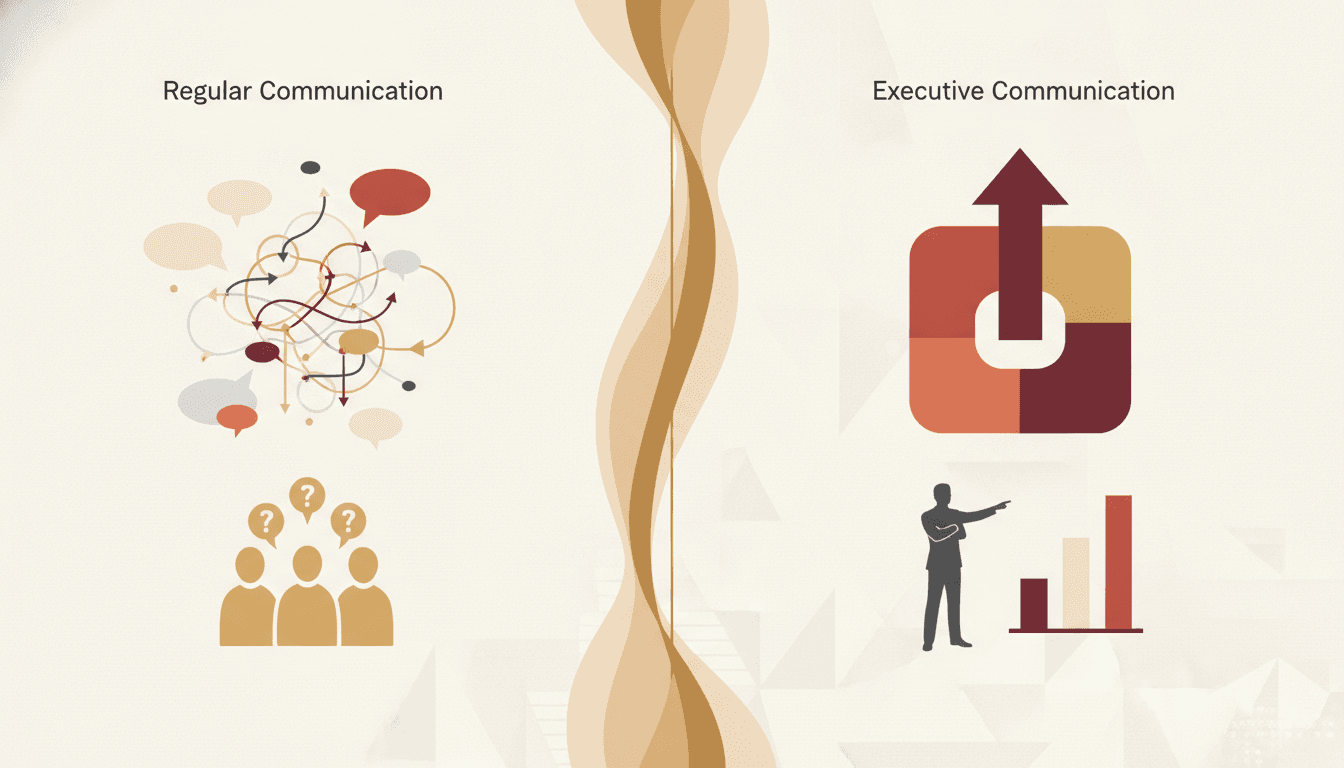
The difference between executive communication and regular communication comes down to ten distinct patterns: executives lead with outcomes instead of details, use decisive language instead of hedging, structure messages top-down instead of chronologically, speak in strategic terms instead of tactical ones, and manage attention rather than just sharing information. They also listen more selectively, frame problems as decisions, use silence deliberately, communicate with consistent brevity, and p

Executive Communication in Crisis: 6 Authority Principles
When a crisis hits your organization, the way you communicate in the first hours and days determines whether you retain or destroy stakeholder trust. The six authority principles executives use during crises are: lead with calm certainty, structure before you speak, practice radical transparency within guardrails, own what you don't know, control the narrative cadence, and communicate through your people. These principles help leaders project authority, reduce panic, and maintain credibility—eve