
Leadership Presence in Virtual Meetings: 9 Key Habits

Leadership presence in virtual meetings comes down to nine key habits: strategic camera positioning, deliberate vocal pacing, purposeful use of silence, intentional eye contact through the lens, controlled body language within the frame, concise and structured messaging, active engagement cues, commanding your digital environment, and strategic use of the chat and reactions. These habits help you project authority, credibility, and confidence—even when you're one small tile on a crowded screen.
What Is Leadership Presence in Virtual Meetings?
Leadership presence in virtual meetings is the ability to project confidence, authority, and credibility through a screen. It's the combination of visual cues, vocal delivery, structured communication, and deliberate engagement that makes people listen to you, trust you, and follow your lead—even when you're not physically in the room.
Unlike in-person presence, virtual leadership presence requires you to compress your authority into a small rectangle. Every pixel matters. Your background, your lighting, your voice, and even where your eyes land all send signals about whether you're someone worth paying attention to. For a broader understanding of this concept, explore our guide on leadership presence definition, components, and how to build it.
Why Virtual Meetings Demand a Different Kind of Presence
The Screen Shrinks Your Authority

In a conference room, your posture, your movement, and the way you occupy space all communicate power. On a video call, you're reduced to a headshot. A Stanford University study found that "Zoom fatigue" is real and measurable—participants reported higher levels of exhaustion and reduced engagement during video meetings compared to in-person ones (Bailenson, 2021, Technology, Mind, and Behavior). When attention is scarce, your presence must be sharper.
Think about the last large virtual meeting you attended. Did you notice who sat back in their chair, half-lit, eyes darting to a second screen? And did you notice the person who was centered, well-lit, speaking in clear, measured sentences? That contrast is the presence gap—and it's wider on screen than it is in person.
Hybrid and Remote Work Raised the Stakes
According to Gallup's 2024 State of the Global Workplace report, approximately 53% of remote-capable employees work in a hybrid arrangement, with another 27% fully remote. That means the majority of leadership communication now happens through screens. If you can't command a virtual room, you're invisible during the moments that matter most—strategy discussions, stakeholder updates, team alignment calls.
The professionals who communicate with authority at work have learned that virtual presence isn't a downgrade from in-person presence. It's a different discipline entirely.
Habit 1: Strategic Camera Positioning
The Eye-Level Rule
Place your camera at eye level or slightly above. When your camera sits below your face—like on a laptop on your desk—you're literally looking down at people. It creates an unflattering angle and, more importantly, an unconscious power imbalance that works against you. Viewers see up your nostrils instead of your eyes.
Stack your laptop on books, use a monitor stand, or invest in an external webcam mounted at the top of your screen. The goal: your eyes should be in the top third of the frame, with a small amount of headroom above.
The Framing Sweet Spot
Frame yourself from mid-chest to just above the top of your head. Too close and you feel invasive. Too far and you disappear. This framing mimics the distance of an in-person conversation and lets viewers see your hand gestures when you use them—which research from the University of Chicago shows increases perceived competence and warmth (Hostetter & Alibali, 2008, Journal of Memory and Language).
Check your framing before every important call. It takes five seconds and changes how people perceive you for the next hour.
Habit 2: Deliberate Vocal Pacing
Slow Down to Speed Up Credibility
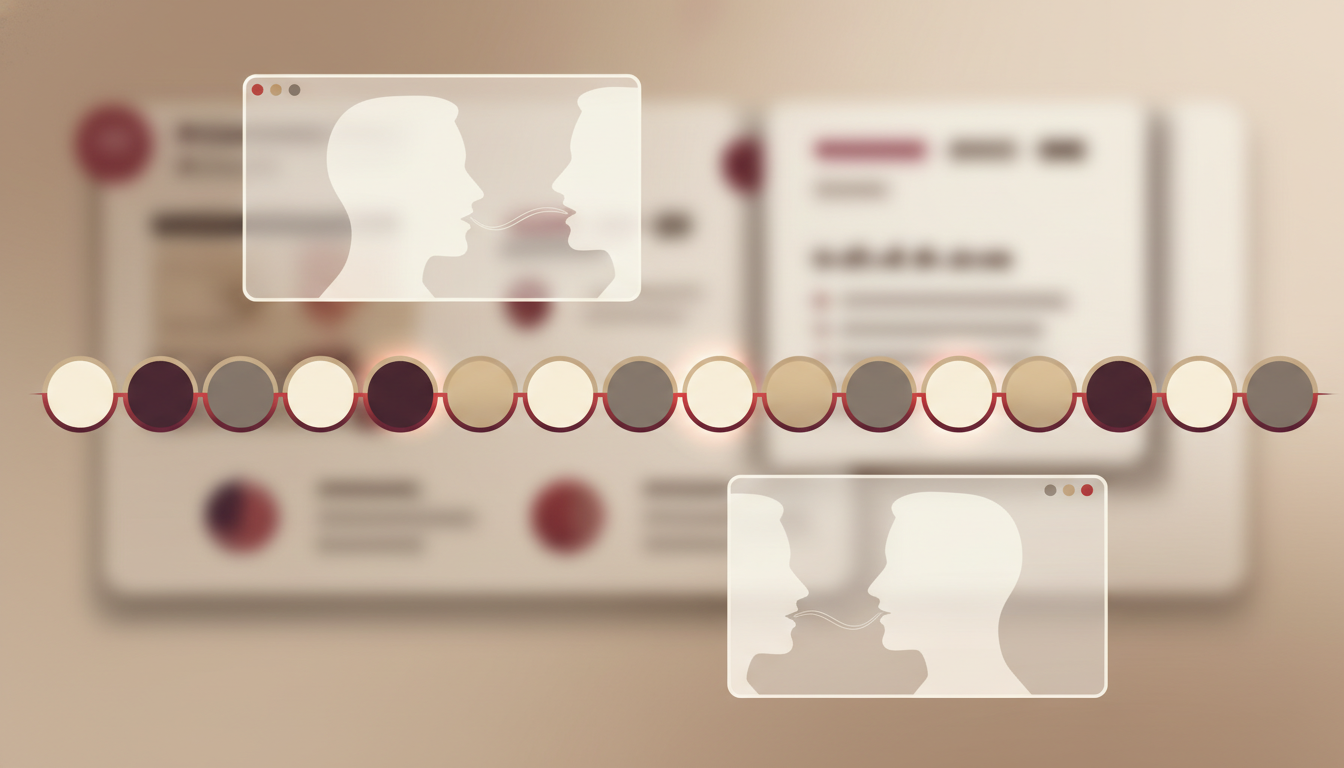
Most people speak faster on video calls than in person. Nerves, the absence of physical feedback, and the urge to fill silence all push your pace upward. But rapid speech signals anxiety, not authority.
Aim for 140–160 words per minute in virtual settings. That's slightly slower than conversational speed (which averages around 150–170 wpm). The slight deceleration gives your words weight. It gives listeners time to absorb your points. And it gives you time to think.
Here's a practical test: record yourself during your next call. Play it back. If you can't comfortably take notes on what you're saying, you're speaking too fast.
Use Pitch Variation to Hold Attention
A monotone voice is the fastest way to lose a virtual audience. Research published in the Journal of Voice (2020) found that speakers with greater pitch variation were rated as more engaging, more competent, and more trustworthy. On a video call, where visual stimulation is limited, your voice does even more heavy lifting.
Practice the "mountain and valley" technique: let your pitch rise slightly when introducing a new idea (the mountain), then drop to a lower register when delivering your conclusion or key point (the valley). This pattern signals structure and confidence. For more on vocal authority, see our deep dive on how to develop a commanding voice at work.
Habit 3: Strategic Use of Silence
The Power Pause in Virtual Settings
Silence on a video call feels uncomfortable. Most people rush to fill it. But leaders who command virtual rooms use silence as a tool—not an accident.
After making a key point, pause for two to three seconds. After asking a question, pause for four to five seconds. This does three things: it signals that what you just said matters, it gives others space to process, and it demonstrates that you're comfortable holding the room without constant noise.
When Silence Replaces Filler Words
Every "um," "uh," "so," and "you know" erodes your credibility by a fraction. Individually, they're harmless. Cumulatively, they make you sound uncertain. Replace them with silence.
The next time you catch yourself about to say "um," close your mouth. Let the silence sit. It will feel like an eternity to you. To your audience, it will feel like confidence. If you struggle with filler words, our guide on how to stop using filler words in professional speaking offers a practical system.
Ready to Command Every Room—Even Virtual Ones? The Credibility Code gives you the exact frameworks to project authority, structure your communication, and build lasting leadership presence. Discover The Credibility Code and start showing up as the leader people listen to.
Habit 4: Intentional Eye Contact Through the Lens
Look at the Camera, Not the Screen
This is the single most counterintuitive habit in virtual leadership presence—and the most powerful. When you look at someone's face on your screen, you appear to be looking slightly down or to the side on their screen. When you look directly into your camera lens, you appear to be making direct eye contact.
You don't need to stare at the camera for the entire call. Use the 70/30 rule: look at the camera 70% of the time when speaking, and glance at the screen 30% of the time to read reactions. When listening, you can look at the screen more naturally.
The "Dot Trick"
Place a small sticky dot or piece of tape right next to your camera lens. It gives your eyes a target. Over time, your gaze will naturally drift toward the camera when making important points. This small adjustment makes you appear more direct, more confident, and more engaged than 90% of the people on any call.
Habit 5: Controlled Body Language Within the Frame
Stillness Signals Confidence
On camera, every movement is amplified. Fidgeting, swaying, touching your face, or shifting in your chair all read as nervousness. Leaders who project virtual presence sit still—not rigid, but grounded.
Plant both feet flat on the floor. Keep your shoulders back and relaxed. Rest your hands in your lap or on the desk where they're visible but still. When you gesture, make it intentional and within the frame. Then return to stillness.
The Lean-In Micro-Movement
When someone is speaking and you want to signal engagement, lean forward slightly—about an inch. On camera, this small shift is visible and communicates active listening. When you're about to make a point, lean in slightly before speaking. It creates a visual cue that something important is coming.
This technique is especially effective in difficult meetings where you need to hold ground without dominating.
Habit 6: Concise, Structured Messaging
The 60-Second Rule
In virtual meetings, attention spans are shorter. Microsoft's 2023 Work Trend Index found that the average attention span in virtual meetings drops significantly after the first 10 minutes. You don't have the luxury of long preambles.
Structure every contribution using this framework:
- Lead with the point (one sentence)
- Support with evidence or context (two to three sentences)
- Close with the implication or next step (one sentence)
This entire structure should take 30 to 60 seconds. If you need more time, signal it: "I have three quick points on this." Then deliver them crisply.
Eliminate Hedging Language
Phrases like "I just think," "I'm not sure, but," "This might be wrong," and "Does that make sense?" undermine your message before it lands. Replace them:
- "I just think" → "My recommendation is"
- "I'm not sure, but" → "Based on what I've seen"
- "Does that make sense?" → "Here's the key takeaway"
These shifts are small but they change how your words land. For a comprehensive list, see our article on how to stop undermining yourself at work.
Habit 7: Active Engagement Cues
The Visible Nod
In person, subtle nods and facial expressions are easy to read. On screen, you need to amplify them slightly. When someone is speaking and you agree or want to show you're tracking, nod visibly—not exaggeratedly, but enough to be seen in your small tile.
This serves two purposes: it keeps you engaged (it's hard to zone out when you're actively responding), and it signals to the speaker that you're present. Leaders who do this consistently are perceived as more collaborative and more attentive.
Name-Based Engagement
In a virtual meeting with eight or more participants, it's easy for people to hide. Leaders who command virtual rooms call people by name—not to put them on the spot, but to create connection.
"Sarah, I'd value your perspective on this." "James, you've worked closest with this client—what are you seeing?" This technique pulls people into the conversation, demonstrates that you're paying attention to who's in the room, and positions you as the person directing the flow of discussion—a core leadership behavior.
Habit 8: Commanding Your Digital Environment
Background and Lighting as Authority Signals
Your background communicates before you open your mouth. A cluttered, dim, or distracting background signals disorganization. A clean, well-lit, intentional background signals professionalism.
You don't need a home office that looks like a magazine spread. You need three things: a neutral or tidy background (real or virtual), front-facing light (a window or desk lamp in front of you, not behind you), and no visual distractions moving in the frame.
According to a 2022 study by researchers at Durham University and the University of Exeter, people with tidy, bookshelf-style backgrounds were rated as more competent and trustworthy than those with messy or blank backgrounds (Computers in Human Behavior, 2022). Your environment is part of your presence.
Audio Quality Is Non-Negotiable
Poor audio destroys credibility faster than poor video. If people have to strain to hear you, ask you to repeat yourself, or deal with echo and feedback, your authority evaporates. Use a dedicated microphone or quality headset. Test your audio before important calls. Mute when not speaking to eliminate background noise.
This is especially critical when you're communicating with senior leadership. Executives notice audio quality because it signals preparation and professionalism.
Build the Presence That Gets You Noticed Whether you're leading a team call or presenting to the C-suite, The Credibility Code gives you a complete system for projecting authority in any setting. Discover The Credibility Code and transform how people experience your leadership.
Habit 9: Strategic Use of Chat and Reactions
Reinforce Your Points in Writing
The chat function in virtual meetings is an underused leadership tool. When you make a key point verbally, drop a concise summary into the chat. When someone else makes a strong point, acknowledge it in chat: "Great point, Maria—agree that we should prioritize Q2 data."
This does two things: it creates a written record of your contributions (useful when decisions are being tracked), and it positions you as someone who synthesizes and reinforces—not just speaks.
React with Purpose
Emoji reactions (thumbs up, clapping, raised hand) can feel trivial. But used strategically, they signal engagement without interrupting the speaker. A well-timed thumbs-up when a colleague presents strong data shows you're tracking. A raised hand before speaking shows respect for the flow of conversation.
The key is purpose. Random or excessive reactions look performative. Targeted, timely reactions look like leadership.
Frequently Asked Questions
How is leadership presence in virtual meetings different from in-person presence?
In-person presence relies heavily on how you occupy physical space—your posture, movement, and proximity. Virtual presence compresses all of that into a small frame, making vocal delivery, camera positioning, lighting, and concise messaging far more important. You have fewer channels to communicate authority, so each one must be more intentional. The core principles overlap, but the execution is fundamentally different. Learn more about the broader concept in our complete roadmap to developing leadership presence.
What is the biggest mistake people make in virtual meetings?
Looking at the screen instead of the camera. It's the most common and most damaging habit because it breaks perceived eye contact with every person watching you. When you look at faces on your screen, you appear to be looking down or away on their screens. Training yourself to look at the lens—especially when making key points—is the single highest-impact change you can make.
How can introverts build leadership presence in virtual meetings?
Virtual meetings can actually favor introverts. The structured format, the ability to use chat for contributions, and the smaller visual frame all reduce the pressure to dominate through volume or physical energy. Focus on preparation, concise messaging, and strategic engagement—ask sharp questions, summarize key points, and use the chat to reinforce ideas. Our guide on building leadership presence as an introvert goes deeper on this.
Leadership presence in virtual meetings vs. executive presence online: what's the difference?
Leadership presence is about projecting confidence and authority in any leadership context—formal or informal. Executive presence online is a subset that specifically addresses how senior leaders communicate in digital settings, often with higher stakes and more scrutiny. Both require strong vocal delivery, visual professionalism, and structured communication. Executive presence tends to emphasize brevity, strategic framing, and composure under pressure. See our comparison of executive presence vs. leadership presence for a detailed breakdown.
How do I maintain leadership presence in back-to-back virtual meetings?
Back-to-back calls drain your energy and erode your presence over time. Build in five-minute buffers between calls. Stand up, stretch, and reset your posture. Review your key points for the next meeting during the buffer. Keep water nearby. And give yourself permission to turn off your camera for internal, low-stakes calls to conserve energy for the meetings where your presence matters most.
Can you build leadership presence in virtual meetings without speaking much?
Yes. Presence isn't about how much you talk—it's about how you show up. Your camera positioning, eye contact, visible engagement (nodding, reactions), and the quality of your contributions when you do speak all build presence. A leader who asks one sharp question carries more authority than someone who talks for five minutes without a clear point.
Your Presence Is Your Professional Currency—Even on Screen. The Credibility Code is a complete system for building the authority, confidence, and communication habits that make people listen, trust, and follow your lead. Whether you're on camera or in the room, this is your playbook. Discover The Credibility Code and start leading with presence today.
Featured image alt text: Professional woman demonstrating strong leadership presence in a virtual meeting, centered in frame with good lighting, making direct eye contact through the camera lens during a video call.
Ready to Command Authority in Every Conversation?
Transform your professional communication with proven techniques that build instant credibility. The Credibility Code gives you the frameworks top leaders use to project confidence and authority.
Discover The Credibility CodeRelated Articles

Leadership Presence in Virtual Meetings: 10 Key Tactics
Leadership presence in virtual meetings is your ability to project authority, command attention, and influence outcomes when you're communicating through a screen. To build it, focus on these 10 tactics: optimize your camera setup and lighting, anchor your vocal energy to compensate for digital flattening, use strategic silence instead of filler, master meeting facilitation techniques, leverage the chat and reaction tools deliberately, frame your contributions with executive-level structure, con

Leadership Presence Without Extroversion: A Quiet Guide
Leadership presence without extroversion is built on intentional preparation, deep listening, strategic visibility, and calibrated communication — not volume or charisma. Introverted and quieter professionals can develop genuine authority by leveraging their natural strengths: thoughtful analysis, focused attention, and measured responses. This guide provides a practical framework for building commanding presence in every professional setting without forcing an extroverted style.

How to Develop a Commanding Presence at Work: 8 Pillars
To develop a commanding presence at work, focus on eight foundational pillars: composure under pressure, vocal authority, physical presence, strategic silence, decisiveness, emotional regulation, conviction in speech, and consistent follow-through. These pillars work together to signal confidence, credibility, and leadership—whether you're presenting to executives, leading a team meeting, or navigating a difficult conversation. Each pillar can be practiced daily and measured over time.