
How to Write Like a Senior Leader: Email & Memo Mastery

What Does It Mean to Write Like a Senior Leader?
Writing like a senior leader means communicating with the economy, directness, and strategic intent that characterize executive-level professionals. It's not about using bigger words or longer sentences—it's the opposite. Senior leaders write to drive decisions, not to describe their thought process.
This style of writing signals that you respect the reader's time, that you've already done the thinking, and that you're focused on outcomes rather than activity. According to a 2023 study by the Harvard Business Review, executives spend an average of 28% of their workweek reading and responding to email—making concise, purposeful writing one of the most valued professional skills.
The 5 Writing Patterns That Separate Senior Leaders from Everyone Else
If you study the emails and memos of C-suite executives, VPs, and directors, clear patterns emerge. These aren't stylistic preferences—they're strategic communication habits that signal authority in every written interaction.
Pattern 1: Lead with the Conclusion, Not the Backstory
Most mid-level professionals write emails the way they think—chronologically. They start with context, walk through the process, and arrive at the recommendation at the bottom. Senior leaders reverse this entirely.
Before (Mid-Level):"Hi team, as you know we've been evaluating the vendor options for the past three weeks. We looked at pricing, integration capabilities, and customer reviews. After several discussions with IT and procurement, we've narrowed it down. I think we should go with Vendor B."After (Senior Leader):
"Recommendation: We should move forward with Vendor B. They offer the strongest integration with our existing stack at 15% lower cost than the next option. I'd like approval by Friday to meet our Q3 timeline."
The second version respects the reader's time and demonstrates that the writer has already done the analytical work. This is what it means to write like an executive—concise, clear, and commanding.
Pattern 2: Replace Hedging with Conviction
Words like "just," "maybe," "I think," "sort of," and "I was wondering" dilute your authority. A study from Quantified Communications found that leaders who use confident, declarative language are perceived as 42% more competent by their audiences than those who hedge.
Hedging language to eliminate:- "Just checking in on…" → "Following up on…"
- "I think we should maybe…" → "I recommend we…"
- "Sorry to bother you, but…" → [Delete entirely]
- "Would it be possible to…" → "Please [action] by [date]."
- "I feel like this might work…" → "This approach addresses our core risk."
If you struggle with undermining language in your writing, our guide on how to stop undermining yourself at work covers the 10 most common patterns and how to fix each one.
Pattern 3: Write for Scanners, Not Readers
Senior leaders know their audience. Executives don't read emails word by word—they scan. According to a 2022 Litmus report, the average time spent reading an email is just 9 seconds. That means your formatting matters as much as your words.
Formatting rules senior leaders follow:- Bold the key ask or decision so it's visible at a glance
- Use bullet points for anything with more than two items
- Keep paragraphs to 2-3 lines maximum
- Put deadlines and action items on their own line
- Use white space deliberately—crowded emails get skipped
Pattern 4: Frame Everything Strategically
Senior leaders don't just report information—they frame it in terms of business impact. Every email and memo connects the specific topic to the broader organizational goals.
Before (Task-Focused):"The marketing report is done. We saw a 12% increase in website traffic last month."After (Strategically Framed):
"Last month's 12% traffic increase puts us on pace to exceed our Q3 lead generation target by 8%. I recommend we double down on the content strategy driving this growth. Budget implications attached."
The second version tells the reader why it matters and what to do next. That's the difference between reporting and leading.
Pattern 5: Close with a Clear Next Step
Every senior leader email ends with one of three things: a decision needed, an action required, or a timeline confirmed. Emails that trail off without a clear close signal uncertainty.
Weak closes:- "Let me know what you think."
- "Thoughts?"
- "Happy to discuss."
- "Please confirm by Thursday so we can proceed."
- "I'll move forward with this plan unless I hear otherwise by EOD."
- "Decision needed: Option A or Option B? I recommend A for [reason]."
Ready to Command Authority in Every Written Word? The patterns above are just the beginning. Discover The Credibility Code to access the complete system for building unshakable professional credibility—in writing, in meetings, and in every high-stakes conversation.
Before-and-After Email Transformations
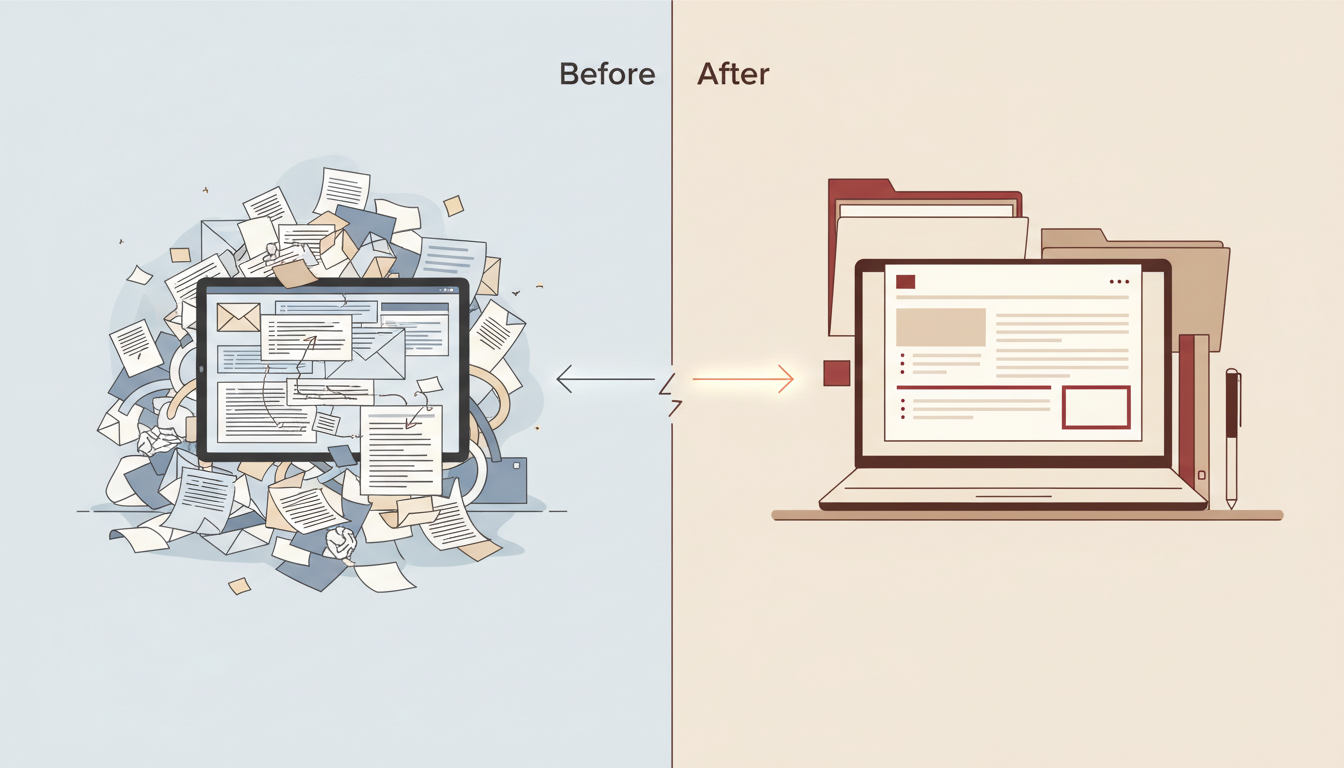
Nothing makes these principles click like seeing them applied side by side. Below are three real-world email scenarios transformed from mid-level writing to senior leader writing.
Transformation 1: The Project Update Email
Before:Subject: Quick Update
>
Hi Sarah, just wanted to give you a quick update on the Henderson project. We've been working really hard on it and things are going pretty well overall. The team has completed most of the design phase and we're hoping to start development next week, assuming we get the final specs from the client. There have been a few minor issues with the timeline but nothing too major. I'll keep you posted!After:
Subject: Henderson Project — On Track for Dev Start May 12
>
Sarah,
>
Status: Design phase 90% complete. Development starts May 12.
>
One risk: We're waiting on final specs from the client (due May 8). I've escalated with their PM and have a backup plan if they're late.
>
No action needed from you unless the May 12 dev start conflicts with resourcing. I'll flag any changes immediately.
>
— James
The "after" version is 60% shorter and 100% more useful. Notice the subject line alone tells the reader the status. This is how you write emails that get executive attention.
Transformation 2: The Request Email
Before:Subject: Question about budget
>
Hi Mark, hope you're doing well! I was wondering if there's any chance we could get some additional budget for the customer research project? We've been trying to work within the current allocation but it's been really tough. We think we need about $15K more to do the kind of thorough analysis that would really help the team make better decisions. Sorry to ask — I know budgets are tight. Let me know if this is even possible. Thanks so much!After:
Subject: Budget Request: $15K for Customer Research — ROI Case Attached
>
Mark,
>
Request: $15K additional budget for the customer research project.
>
Why: Our current scope covers surface-level analysis only. With this investment, we can deliver segment-level insights that directly inform the Q4 product roadmap—reducing the guesswork that cost us an estimated $200K in misaligned features last year.
>
ROI: Attached one-page business case.
>
Timeline: Approval needed by May 20 to stay on schedule.
>
— Dana
The transformation eliminates apologizing, frames the request as a business investment, and gives the reader a clear deadline. For more on assertive email communication, see our guide on how to be more assertive in emails with 12 before-and-after examples.
Transformation 3: The Bad News Memo
Before:Subject: Some changes coming
>
Hi everyone, I wanted to let you know that unfortunately we're going to have to make some changes to the project timeline. I know this isn't what anyone wants to hear and I'm really sorry about this. There were some factors outside our control and we did our best but the launch is going to be pushed back by about three weeks. I hope everyone understands and we'll try to make up the time where we can.After:
Subject: Project Launch Moved to June 28 — Revised Plan Below
>
Team,
>
Our launch date is moving from June 7 to June 28. Here's why and what changes:
>
Reason: The API integration revealed a security vulnerability that requires remediation before launch. Shipping without this fix would put client data at risk—a non-negotiable.
>
Revised milestones:
- Security patch complete: June 14
- QA and regression testing: June 15–25
- Soft launch: June 28
>
What doesn't change: Feature scope, team assignments, and the Q3 revenue target. We have margin built in.
>
I'll address questions at Thursday's standup. If anything is urgent before then, reach out directly.
>
— Chris
The second version owns the decision, provides clear reasoning, and maintains confidence. No over-apologizing. No vagueness. For more on this skill, read our guide on how to deliver bad news professionally and with poise.
The CLEAR Memo Framework for Senior-Level Writing
When you're writing anything longer than a quick email—memos, proposals, strategy documents—use the CLEAR framework to structure your thinking like a senior leader.
C — Conclusion First
State your recommendation, decision, or key finding in the first two sentences. According to research from the Nielsen Norman Group, 79% of web users scan rather than read—and the same behavior applies to internal documents. If your conclusion is buried on page three, most readers will never reach it.
L — Logic in Layers
After your conclusion, provide supporting logic in descending order of importance. The most critical evidence comes first. Think of it as an inverted pyramid: if the reader stops at any point, they've already received the most important information.
E — Evidence, Not Opinion
Senior leaders back their positions with data, precedent, or expert input—not feelings. Replace "I feel like this is the right approach" with "This approach reduced churn by 18% when we tested it in Q2." Grounding your writing in evidence is a key part of building credibility with senior leadership.
A — Action Required
Every memo should make crystal clear what you need from the reader. Is this for information only? Do you need a decision? By when? Ambiguity about the ask is one of the fastest ways to lose executive attention.
R — Risks Acknowledged
Senior leaders don't pretend everything is perfect. They proactively name the risks and explain how they're mitigating them. This signals maturity and thoroughness—two hallmarks of executive-level thinking.
Transform How You Communicate at Work If you're ready to go beyond email and build commanding presence in every professional interaction, Discover The Credibility Code—your complete playbook for authority, credibility, and career-defining confidence.
Common Mistakes That Make You Sound Junior in Writing
Even smart, capable professionals sabotage their written authority with habits they don't realize they have. A Grammarly Business study found that professionals who write with clarity and confidence receive responses 36% faster than those whose writing is verbose or uncertain.

Over-Explaining Your Reasoning
When you explain every step of your thought process, you signal that you don't trust the reader to accept your judgment. Senior leaders show their work only when asked. Your default should be: conclusion + key supporting point + action needed.
Using Passive Voice to Avoid Ownership
"It was decided that the project would be paused" is passive and evasive. "I paused the project because [reason]" is direct and accountable. Senior leaders take ownership of decisions in their writing. Passive voice makes you sound like you're hiding.
Writing Long Emails When Short Ones Will Do
If your email is longer than your phone screen, it's probably too long. A McKinsey Global Institute study found that professionals spend 28% of their workweek on email. Respect that reality. The most powerful emails from senior leaders are often three to five sentences.
Apologizing for Communicating
Starting emails with "Sorry to bother you" or "I know you're busy, but" frames your message as an interruption rather than a contribution. If your email is worth sending, send it without apology. For a deeper dive into this pattern, explore our guide on how to sound more senior at work through 9 language shifts.
How to Practice and Build This Skill
Writing like a senior leader isn't a talent—it's a trainable skill. Here's how to build it systematically.
The Revision Ritual
Before sending any important email, apply the "Senior Leader Scan." Ask yourself three questions:
- Is my main point in the first two sentences? If not, move it.
- Can I cut this by 30%? Almost always, yes.
- Does the reader know exactly what I need from them? If not, add a clear ask.
This takes 60 seconds and will transform your writing within weeks.
Study Real Executive Communication
Pay attention to how the most respected leaders in your organization write. Save their emails. Notice what they include and—more importantly—what they leave out. You'll find that the most senior people write the shortest emails.
Get Feedback from Someone Above You
Ask a mentor or senior colleague to review two or three of your important emails and give you candid feedback. This is one of the most underused development strategies in professional growth, and it directly accelerates how quickly you communicate with authority at work.
Frequently Asked Questions
How long should a professional email be to sound like a senior leader?
Most senior leader emails are between 50 and 150 words. The goal is to communicate the essential message—your point, your evidence, and your ask—without excess. If your email exceeds 200 words, look for sentences to cut or information to move into an attachment. Brevity signals confidence and respect for the reader's time.
What's the difference between writing like a senior leader and writing like a manager?
Managers tend to write about process, tasks, and updates. Senior leaders write about outcomes, decisions, and strategic implications. A manager might write, "We completed three of five deliverables this week." A senior leader writes, "We're on track to hit the Q3 target. One risk to flag." The shift is from activity reporting to strategic framing.
How do I write assertively without sounding rude or aggressive?
Assertive writing isn't about being harsh—it's about being clear. Use direct language ("I recommend," "Please confirm by Friday") without softening it with unnecessary apologies or qualifiers. Maintain a respectful tone while being specific about what you need. The key is removing weak language, not adding aggressive language. Our guide on being more assertive at work without being aggressive covers this in depth.
Can I write like a senior leader if I'm not in a senior role yet?
Absolutely. Writing with clarity, conviction, and strategic framing signals leadership potential regardless of your title. In fact, adopting these writing habits early is one of the fastest ways to get noticed for promotion. Research from Gartner shows that employees who demonstrate executive communication skills are 2.4 times more likely to be identified as high-potential talent.
How do I write to senior executives without overstepping?
Lead with the information they need to make a decision. Be concise, frame your message in terms of business impact, and state your recommendation clearly while acknowledging it's their call. Avoid over-explaining or including unnecessary background. For a complete breakdown, see our guide on how to communicate with the C-suite.
Should I use bullet points or paragraphs in professional emails?
Use bullet points when presenting three or more items, options, or action steps. Use short paragraphs (2-3 sentences) for narrative context or strategic framing. The most effective senior leader emails combine both—a brief paragraph setting context, followed by bullets for specifics, followed by a clear closing line with the ask.
Your Writing Is Your Professional Reputation Every email, memo, and message you send either builds or erodes your credibility. The strategies in this article will sharpen your written authority—and The Credibility Code gives you the complete system for commanding presence in every professional interaction. Start writing, speaking, and leading with the confidence that gets you noticed.
Ready to Command Authority in Every Conversation?
Transform your professional communication with proven techniques that build instant credibility. The Credibility Code gives you the frameworks top leaders use to project confidence and authority.
Discover The Credibility CodeRelated Articles

How Executives Structure Emails for Maximum Impact
Executives structure emails for impact by leading with the bottom line first, keeping messages under five sentences when possible, using decisive language free of hedging words, and closing with a single clear action item and deadline. They treat every email as a leadership signal—prioritizing clarity over courtesy padding, structuring information hierarchically so the busiest reader gets the point in seconds, and using formatting strategically to guide the eye. This approach ensures their messa

How to Write Like an Executive: Concise, Clear, Commanding
To write like an executive, cut your word count in half, lead with the conclusion, and make every sentence drive toward a decision or action. Executive writing isn't about sounding smart—it's about respecting the reader's time and projecting authority through clarity. Replace hedging language with direct statements, structure your messages around outcomes rather than process, and always answer the question "so what?" before you hit send.

Executive vs Regular Communication: Key Differences Explained
Executive communication differs from regular professional communication in five critical ways: structure, intent, language economy, audience orientation, and strategic framing. Where mid-level professionals tend to share information and explain processes, executives lead with outcomes, eliminate filler, and frame every message around business impact. Understanding these differences—and modeling them—is the fastest way to build credibility and advance your career authority.