
How to Sound Authoritative in Emails: 9 Proven Shifts

To sound authoritative in emails, eliminate hedging language ("I just wanted to," "I think maybe"), lead with your conclusion instead of burying it, use direct requests instead of passive suggestions, and keep sentences short and decisive. Authoritative email writers state what they need, why it matters, and by when — without over-explaining or apologizing for taking up space. These nine shifts transform tentative emails into messages that command respect and get results.
What Does It Mean to Sound Authoritative in Emails?
Sounding authoritative in emails means communicating with clarity, directness, and confidence so that your message is taken seriously, acted on promptly, and respected by the reader. It's not about being aggressive or cold — it's about writing in a way that signals competence, decisiveness, and professional credibility.
Authoritative email communication is a core component of executive presence. According to a 2023 study by Grammarly and The Harris Poll, professionals spend an average of 28% of their workweek writing and responding to emails — yet 72% of business leaders report that poor written communication has led to increased errors, misunderstandings, or lost business. The way you write directly shapes how seriously people take you.
Shift 1: Lead With Your Conclusion, Not Your Context
Why burying your point undermines authority
Most professionals write emails the way they think — starting with background, building up to the point, and finally making the request at the bottom. This is the fastest way to lose your reader and your authority.
Senior leaders scan emails. A study by the Radicati Group found that the average business professional receives 121 emails per day. If your point is buried in paragraph three, it may never be read. Worse, the reader subconsciously registers you as someone who can't get to the point — which erodes credibility.
The "Bottom Line Up Front" method
Military and executive communicators use a framework called BLUF: Bottom Line Up Front. State your conclusion, recommendation, or request in the first one to two sentences. Then provide supporting context below for those who need it.
Before (tentative):"Hi Sarah, I wanted to follow up on our conversation last week about the Q3 timeline. After reviewing the vendor feedback and talking with the engineering team, I've been thinking about whether we might want to consider adjusting the launch date. There are a few factors I think we should weigh..."After (authoritative):
"Sarah — I recommend we push the Q3 launch to August 15. Vendor delays and two open engineering dependencies make the July 1 date unreliable. Here's the breakdown..."
The second version signals a professional who has done the analysis, reached a conclusion, and is communicating it with confidence. For more on how executives structure their communication, see our guide on how executives structure emails for maximum impact.
How to structure the rest of the email
After your BLUF opening, follow this order:
- The ask or recommendation (1-2 sentences)
- Key supporting facts (2-3 bullet points)
- Next steps or deadline (1 sentence)
- Optional context (brief, for reference only)
This structure respects the reader's time and positions you as someone who thinks clearly.
Shift 2: Replace Hedging Language With Direct Statements
The words that silently destroy your credibility

Hedging language is the single biggest authority killer in professional emails. These are the qualifiers, softeners, and permission-seeking phrases that signal uncertainty — even when you're confident in what you're saying.
Common hedging phrases to eliminate:
- "I just wanted to check in..."
- "I was wondering if maybe..."
- "I think we might want to consider..."
- "Sorry to bother you, but..."
- "Does that make sense?"
- "I'm no expert, but..."
- "I could be wrong, but..."
Research from the University of Texas at Austin found that people who use hedging language in written communication are perceived as less competent and less hirable, regardless of the actual quality of their ideas. Your words are shaping perceptions before your ideas even get evaluated.
Direct alternatives that still sound professional
You don't need to be blunt or rude. You need to be clear. Here are direct replacements:
| Tentative | Authoritative |
|---|---|
| "I just wanted to follow up" | "Following up on..." |
| "I think we should maybe" | "I recommend we..." |
| "Would it be possible to" | "Please send me..." |
| "Sorry to bother you" | (Delete entirely) |
| "Does that make sense?" | "Let me know if you have questions." |
| "I'm not sure, but" | "Based on my analysis..." |
For a deeper dive into language patterns that undermine your credibility, read our post on 12 words that undermine your credibility at work.
The "read it back" test
Before sending any important email, read it aloud. If you hear yourself sounding apologetic, uncertain, or like you're asking permission to share your own opinion, revise. Authoritative communicators state — they don't ask for permission to state.
Shift 3: Use Shorter Sentences and Decisive Punctuation
Why sentence length signals authority
Long, winding sentences communicate uncertainty. They suggest you're thinking out loud rather than delivering a formed thought. Short sentences, by contrast, communicate confidence.
Compare these two versions:
Long and uncertain: "I've been looking at the budget numbers and I think there might be some areas where we could potentially make some adjustments that could help us come in closer to our target, though I'm not completely sure about all the implications." Short and authoritative: "The budget has three areas of overspend. I've identified $40K in adjustable costs. Here's my recommendation for each."The second version uses three short, declarative sentences. Each one does one job. This is how leaders write.
The role of periods over commas
Authoritative writers use periods. Tentative writers use commas, dashes, and ellipses to string thoughts together — because ending a sentence feels final, and finality requires confidence.
Practice breaking compound sentences into simple ones. If a sentence has more than one main idea, split it. Your emails will immediately sound more commanding.
Ready to communicate with the authority your expertise deserves? The Credibility Code gives you the exact frameworks, scripts, and mindset shifts that transform how colleagues and leaders perceive you. Discover The Credibility Code
Shift 4: Make Requests Specific and Time-Bound
Vague asks get ignored
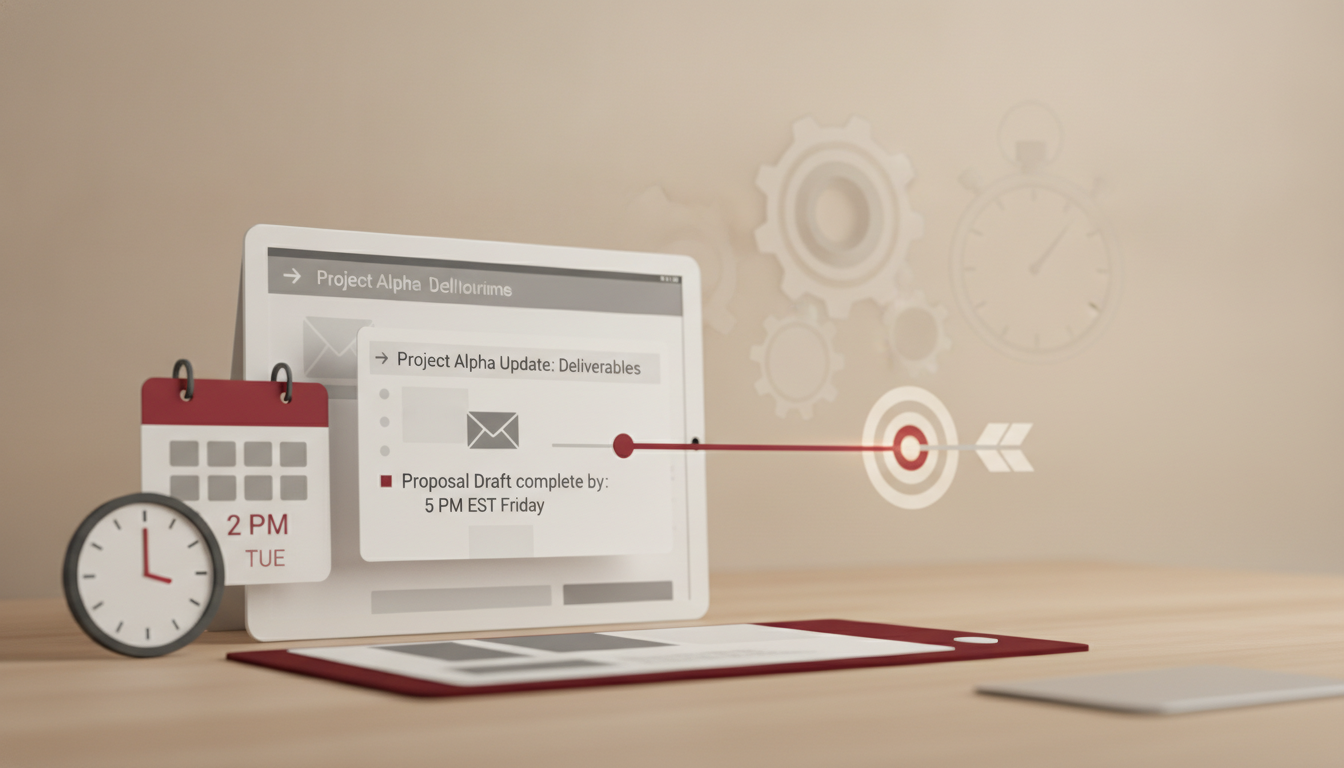
An email that ends with "Let me know your thoughts" is an email that gets deprioritized. It puts the cognitive load on the reader to figure out what you actually need, when you need it, and what form the response should take.
According to a 2022 Superhuman survey, 33% of professionals say unclear emails are their top frustration with workplace communication. When your request is vague, you're not just being unclear — you're signaling that you haven't fully thought through what you need.
The authoritative request formula
Every request in an email should answer three questions:
- What do you need? (Specific action)
- Who needs to do it? (Named person)
- When do you need it? (Specific date or time)
The second version is impossible to misinterpret. It's also impossible to ignore — because the accountability is clear.
Handling multiple requests in one email
When you have several action items, use a numbered list. Bold the name of each person responsible. This prevents the "I didn't see that part" problem and projects organizational authority.
Example:Here are the next steps:
1. Priya — Finalize vendor pricing by Wednesday, March 12
2. Marcus — Confirm engineering capacity by Thursday, March 13
3. All — Review the updated timeline I'll send Friday morning
This approach mirrors how senior leaders communicate. For more on this communication style, explore how to communicate like a senior leader.
Shift 5: Eliminate Unnecessary Apologies and Qualifiers
The apology trap
Many professionals — especially women and early-career leaders — default to apologizing in emails as a social lubricant. "Sorry for the delay." "Apologies for the long email." "Sorry to ask again."
While politeness matters, chronic apologizing in emails signals subordination, not authority. It tells the reader you believe you're imposing, which frames the entire interaction from a position of weakness.
What to say instead
Replace apologies with neutral or forward-looking statements:
| Apologetic | Authoritative |
|---|---|
| "Sorry for the delay" | "Thank you for your patience" |
| "Sorry to ask again" | "Circling back on this — I need your input by Friday" |
| "Apologies for the long email" | (Shorten the email instead) |
| "Sorry to bother you" | (Remove entirely and state your need) |
This isn't about being cold. It's about communicating from a position of professional equality. Our guide on how to stop over-apologizing at work covers this in depth.
When apologies are appropriate
Genuine apologies are still important — when you've actually made an error that affected someone. The key distinction: apologize for real mistakes, not for existing and having needs. "I apologize for the error in the report — here's the corrected version" is authoritative. "Sorry to bother you with this" is not.
Shift 6: Control Your Tone With Strategic Word Choices
Power words vs. weakness words
Certain words carry inherent authority. Others carry inherent uncertainty. Swapping just a few words in each email can dramatically shift how you're perceived.
Weakness words: just, maybe, kind of, sort of, hopefully, try, feel like, pretty much, a little bit Power words: recommend, require, confirm, expect, will, decided, determined, committed, identifiedNotice the difference: weakness words hedge. Power words commit. A 2019 analysis by Textio found that job listings using decisive, confident language received 25% more qualified applicants — the same principle applies to your emails. Decisive language attracts engagement and respect.
Tone calibration by audience
Authoritative doesn't mean one-size-fits-all. Calibrate your tone based on who you're writing to:
- Writing to your team: Direct and supportive. "Here's what I need from each of you by Friday."
- Writing to peers: Collaborative but clear. "I recommend we align on this approach before the Thursday meeting."
- Writing to senior leadership: Concise and conclusion-first. "Recommendation: Approve the revised timeline. Here's why."
For more on adjusting your communication style for different audiences, see how to communicate with senior leadership.
Shift 7: Use Formatting as an Authority Signal
Why visual structure matters
A wall of text signals disorganized thinking. Strategic formatting — bullet points, bold text, numbered lists, and white space — signals a mind that organizes information clearly and respects the reader's time.
Senior leaders are notorious scanners. If they can't extract your point in 10 seconds, your email loses priority. Formatting is not decoration — it's a credibility tool.
Formatting rules for authoritative emails
- Bold your key point or ask so it's visible even when scanning
- Use bullet points for any list of three or more items
- Keep paragraphs to 2-3 sentences maximum
- Use headers or bold labels in longer emails (e.g., "Background:" / "Recommendation:" / "Next Steps:")
- Leave white space between sections
Before-and-after: Escalating an issue
Before (wall of text):"Hi David, I wanted to flag something that's been coming up over the past few weeks. The QA team has been running into repeated issues with the API integration, and it's been causing delays in our testing cycles. I've talked to the team lead about it a couple of times but we haven't been able to resolve it. I think this could potentially impact our release date if we don't address it soon. I was wondering if you might be able to help us get some additional support or maybe escalate this to the platform team. Let me know what you think."After (formatted and authoritative):
"David — Escalating an issue that's at risk of delaying our April release.
>
Issue: The API integration has failed QA three consecutive sprints. The QA team lead and I have attempted two fixes without resolution.
>
Impact: If unresolved by March 20, we will miss the April 1 release.
>
Request: Please assign a platform engineer to this by end of week. I'm available to brief them Wednesday or Thursday.
>
Let me know if you need additional context."
The second version is the same information — but it reads like it was written by someone in command of the situation.
Your emails are shaping your professional reputation with every send. The Credibility Code shows you how to build authority in every written and spoken interaction at work — with frameworks you can apply immediately. Discover The Credibility Code
Shift 8: Close With Clarity, Not Open-Endedness
Why your email closing matters
The last line of your email is what the reader carries away. If it's vague ("Let me know!"), passive ("Whenever you get a chance"), or overly deferential ("Only if it's not too much trouble"), you've undermined everything that came before it.
Authoritative closings do one of three things: confirm a next step, set a deadline, or state what happens next.
Authoritative closing formulas
- Confirming action: "I'll proceed with Option B unless I hear otherwise by Thursday."
- Setting a deadline: "Please confirm by March 15 so we can stay on track."
- Stating next steps: "I'll send the updated plan Monday morning. Let me know if you have questions before then."
Each of these closings puts you in the driver's seat. You're not waiting passively — you're moving things forward.
The "default to action" technique
One of the most powerful authority moves in email is the assumed close: "I'll move forward with X unless you flag any concerns by [date]." This technique — used widely by senior executives — shifts the burden from you needing permission to the other person needing to object. It communicates confidence in your judgment while remaining respectful.
For more on how to write emails that get taken seriously at work, we've compiled additional frameworks and examples.
Shift 9: Edit Ruthlessly Before Sending
The editing mindset
Authoritative writers are aggressive editors. They know that every unnecessary word dilutes their message. The goal isn't to write more — it's to communicate more with fewer words.
A useful benchmark: after drafting an email, try to cut 30% of the words. You'll almost always find filler, redundancy, and hedging you didn't notice on the first pass.
A three-pass editing process
Pass 1 — Cut the fluff. Remove any sentence that doesn't advance your point. Delete throat-clearing openings like "I hope this email finds you well" in action-oriented emails. Pass 2 — Strengthen the verbs. Replace passive constructions ("It was decided that...") with active ones ("We decided..."). Replace weak verbs ("I feel like we should try to...") with strong ones ("I recommend we..."). Pass 3 — Check the tone. Read the email as if you're the recipient. Does it sound confident? Clear? Professional? If any sentence makes you sound uncertain, revise it.The 24-hour rule for high-stakes emails
For emails that involve escalation, pushback, or negotiation, draft the email and wait before sending — even if it's just 30 minutes. Distance gives you perspective. You'll catch hedging, emotional language, and unnecessary qualifiers that undermine your authority. This discipline is part of what separates assertive communication in emails from reactive communication.
Frequently Asked Questions
How do I sound authoritative in emails without being rude?
Authority and rudeness are not related. Authoritative emails are clear, direct, and respectful — they simply remove the hedging, over-apologizing, and vagueness that signal uncertainty. You can be warm and authoritative simultaneously. Use direct language ("I recommend," "Please send by Friday") while maintaining professional courtesy. The goal is clarity, not coldness.
What is the difference between authoritative and aggressive email tone?
Authoritative emails state facts, make clear recommendations, and set specific expectations. Aggressive emails use blame, ultimatums, or condescending language. For example, "I need the report by Friday" is authoritative. "I shouldn't have to ask for this again" is aggressive. The distinction lies in whether you're directing action or attacking the person. Authoritative tone builds respect; aggressive tone destroys relationships.
How can I sound more confident in emails to senior leadership?
Lead with your recommendation, not your reasoning. Use the BLUF method — state your conclusion first, then provide two to three supporting data points. Avoid hedging phrases like "I was just wondering" or "I might be wrong, but." Keep the email under 150 words when possible. Senior leaders respect brevity and decisiveness. For a complete framework, see our guide on how to communicate with executive presence.
Should I use exclamation points in professional emails?
Use them sparingly — one per email at most, and only in genuinely positive contexts like "Congratulations!" or "Great work on this!" Multiple exclamation points dilute authority and can read as overeager or uncertain. In emails where you're making requests, giving direction, or escalating issues, periods project more confidence than exclamation points.
How do I push back on a deadline via email without sounding weak?
State the constraint factually, propose an alternative, and explain the trade-off. For example: "The June 1 deadline isn't feasible given the current engineering capacity. I can deliver a complete version by June 15, or a partial release by June 1. Which do you prefer?" This approach is direct, solution-oriented, and positions you as someone managing the situation rather than complaining about it.
How long should a professional authoritative email be?
Most authoritative emails are under 200 words. If you need more space, use formatting — headers, bullets, and bold text — to maintain scannability. The Boomerang email analytics team found that emails between 50 and 125 words had the highest response rates. Brevity signals confidence. If you can say it in three sentences, don't use six.
Every email you send is a credibility signal. If you're ready to transform how you're perceived in every professional interaction — written and spoken — The Credibility Code gives you the complete system. Frameworks, before-and-after scripts, and daily practices that build lasting authority. Discover The Credibility Code
Ready to Command Authority in Every Conversation?
Transform your professional communication with proven techniques that build instant credibility. The Credibility Code gives you the frameworks top leaders use to project confidence and authority.
Discover The Credibility CodeRelated Articles

How to Sound Authoritative in Emails: 9 Writing Shifts
To sound authoritative in emails, eliminate hedging language ("I just wanted to…," "I think maybe…"), lead with your conclusion before your context, use shorter sentences, and replace passive voice with direct statements. Authoritative email writing isn't about being aggressive—it's about being clear, concise, and decisive. The nine shifts below will transform how colleagues and leadership perceive your written communication.

How to Sound Authoritative in Emails: 9 Proven Tactics
To sound authoritative in emails, lead with your conclusion first, eliminate hedging language (like "just," "I think," and "sorry to bother you"), use shorter sentences, and structure your message so the reader knows exactly what you need and by when. Authoritative emails aren't aggressive — they're clear, direct, and decisive. The difference between being overlooked and being respected often comes down to how you write, not what you know.
How to Stop Sounding Unsure in Emails: Before & After
To stop sounding unsure in emails, eliminate hedging phrases ("I just wanted to," "I think maybe," "Sorry to bother you"), replace weak verbs with direct ones, lead with your point instead of burying it, and remove unnecessary qualifiers. Confident emails are shorter, structured with the ask or update first, and use declarative sentences. Small word-level changes — swapping "I was wondering if" for "I recommend" — can transform how colleagues perceive your competence and authority.